See every AI agent at work. Step in only where it needs you.
Magnolia is a visual office for your AI agents. Each company is a tower on your HQ campus, each project is a floor, and each step of the work is a room. See what Claude Code, Codex, Grok and the rest are doing, what needs you, what's stuck and what's actually done, at a glance.
- Working
- Needs you
- Stuck
- Done
Your agents, as an office
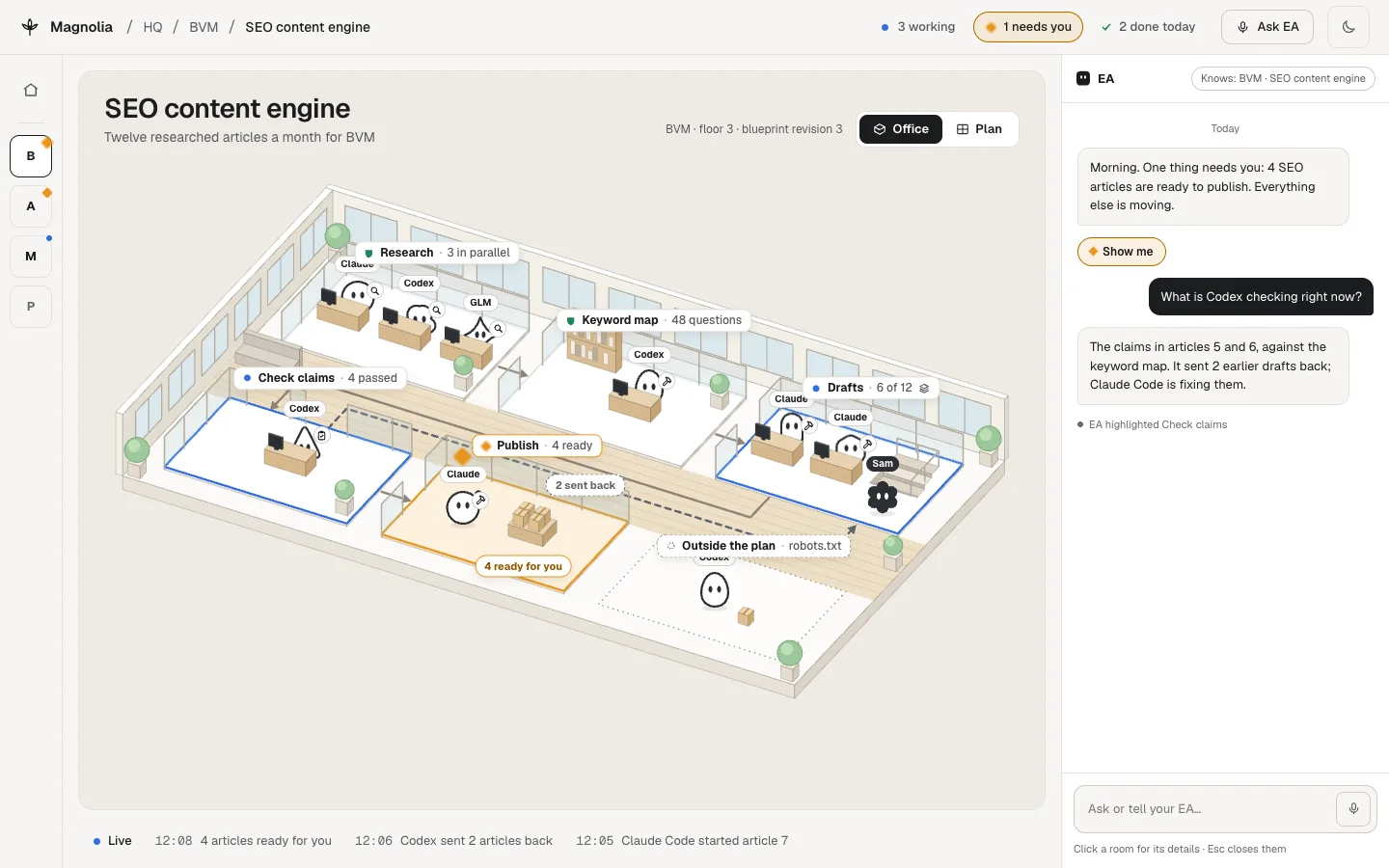
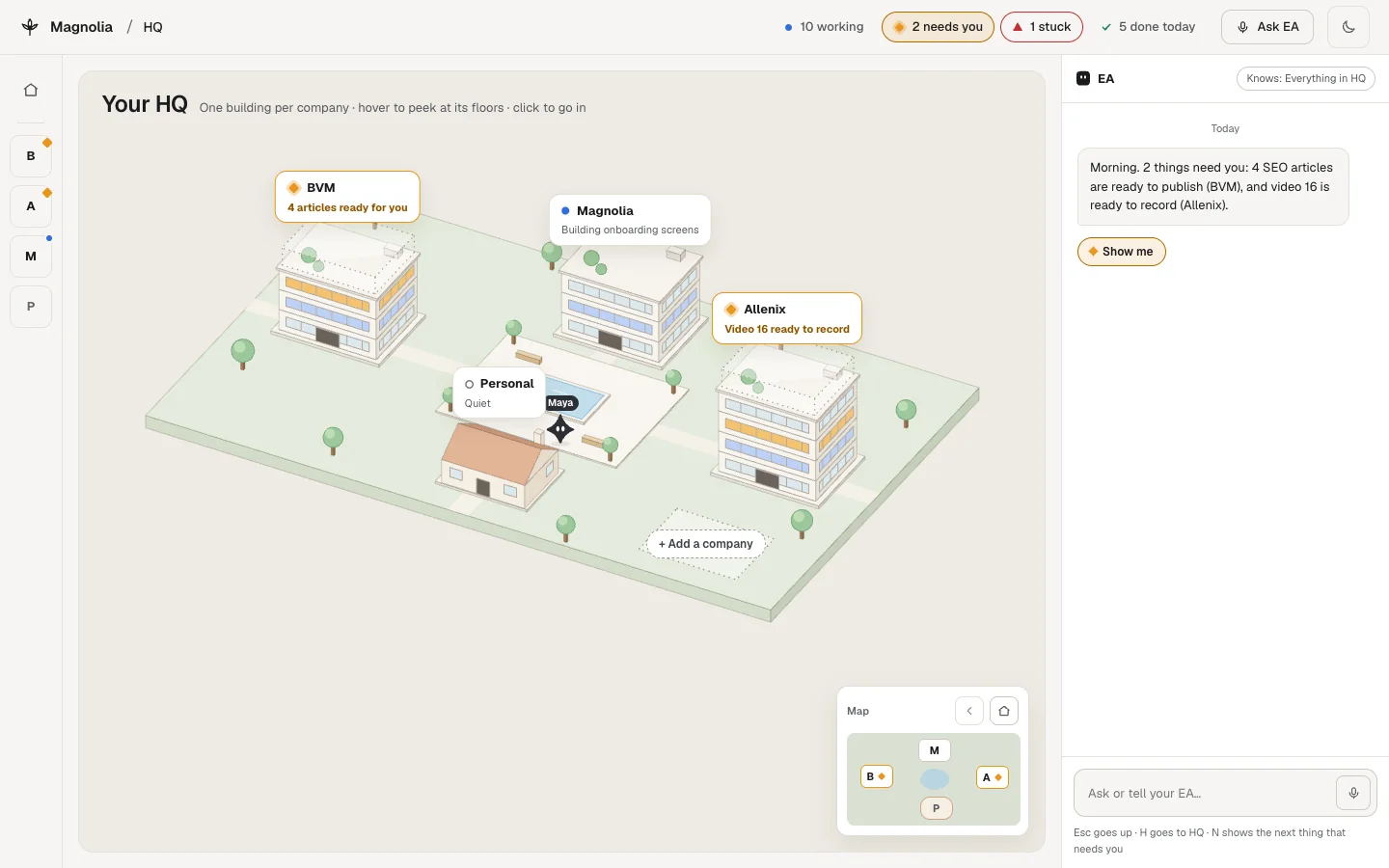
Magnolia lays your work out like a building. You always know where you are and where each agent is.
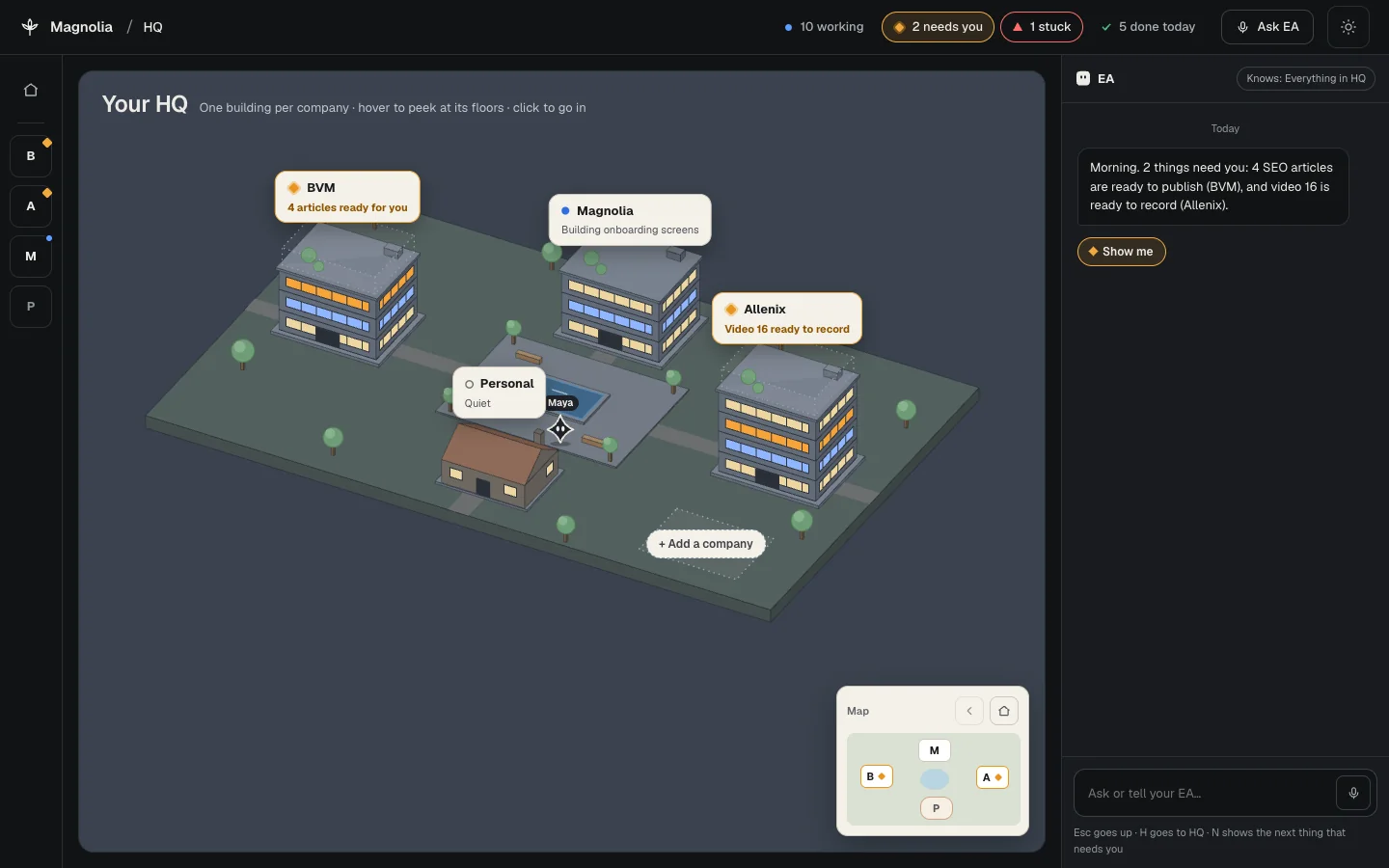
- HQYour campusEvery company you run, in one place.
- TowerA companyOne tower per company on the campus.
- FloorA projectOne floor per project inside that tower.
- RoomA stepOne room per step of the work. Agents sit where they're working.
Two views of every project
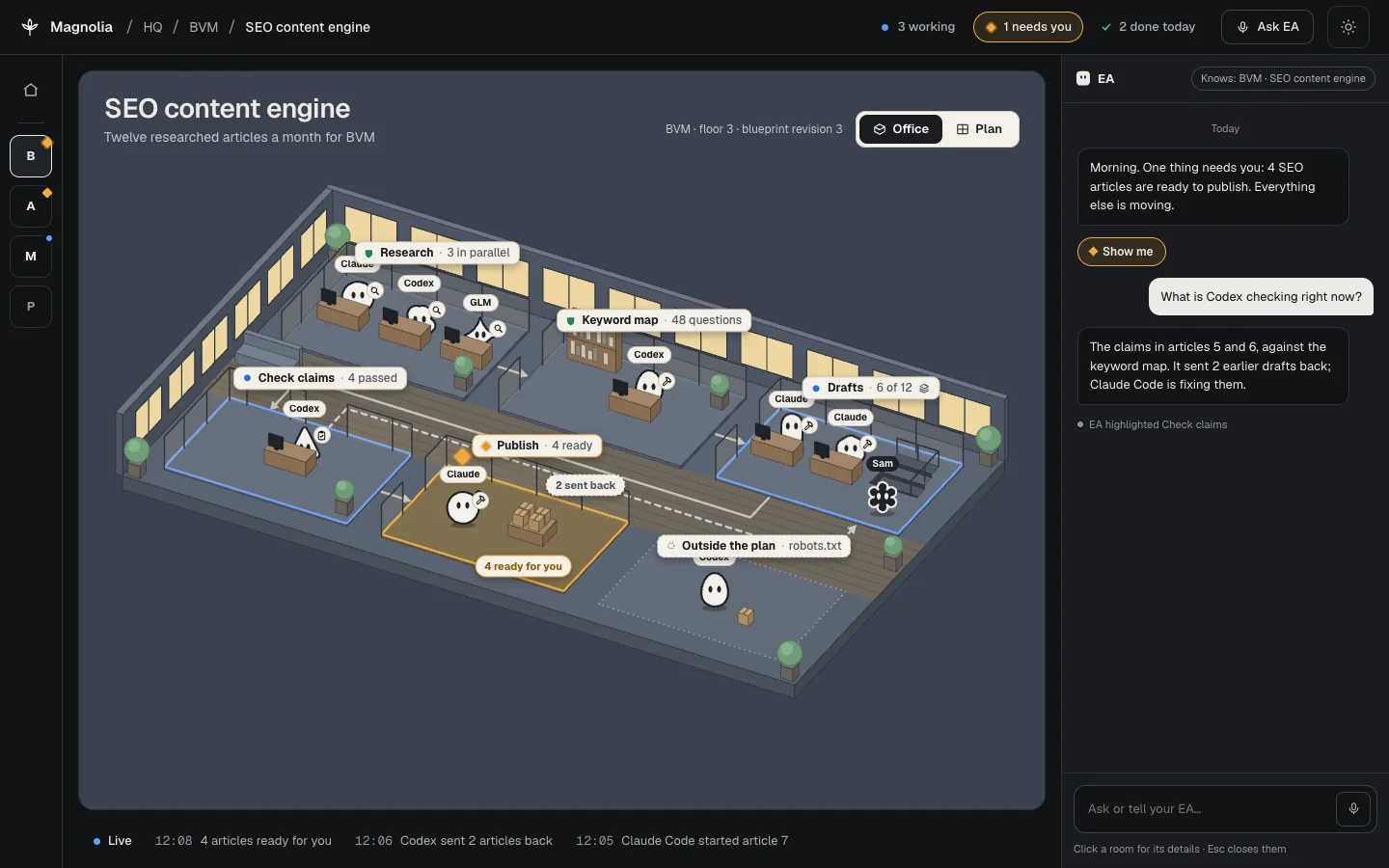
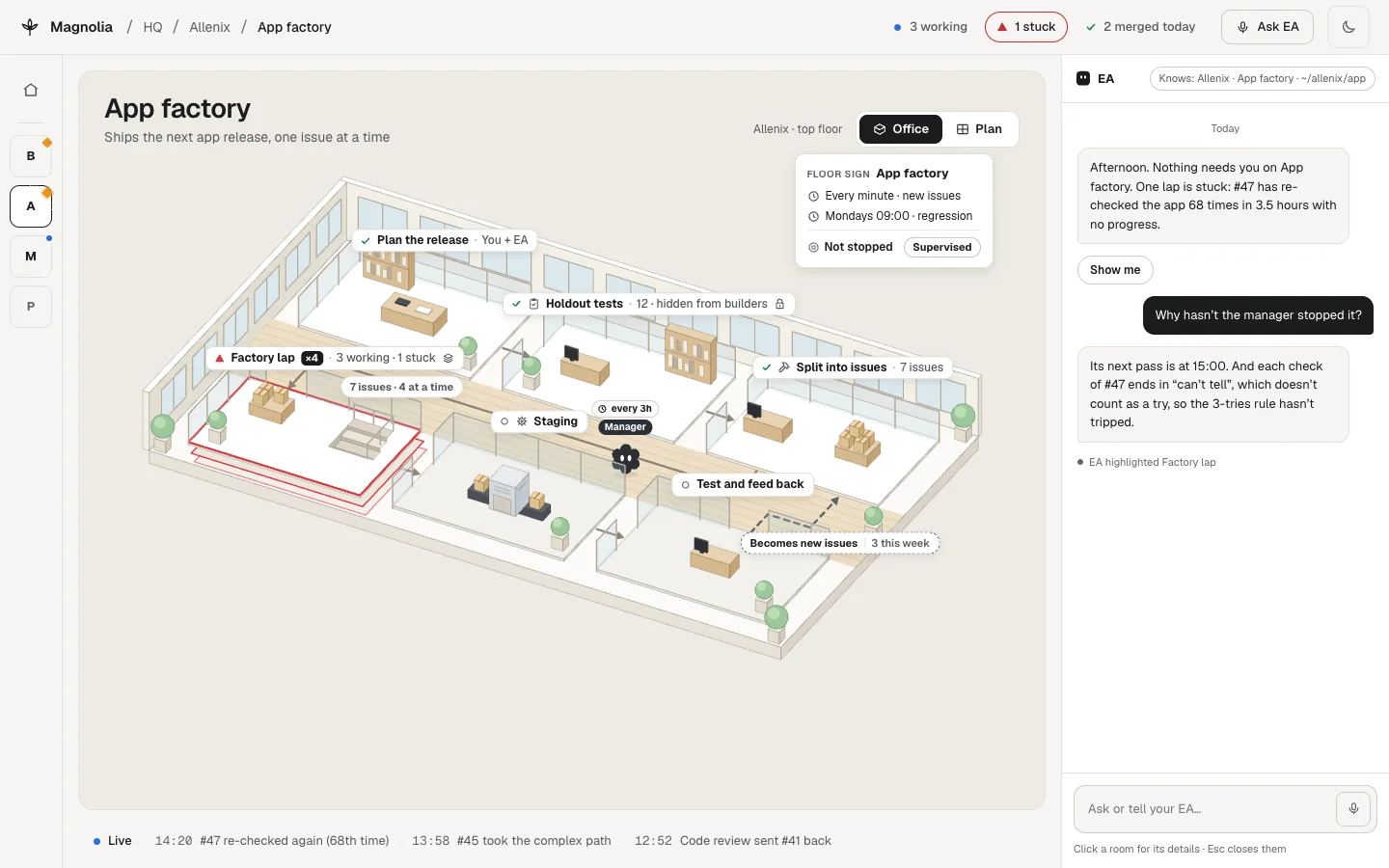
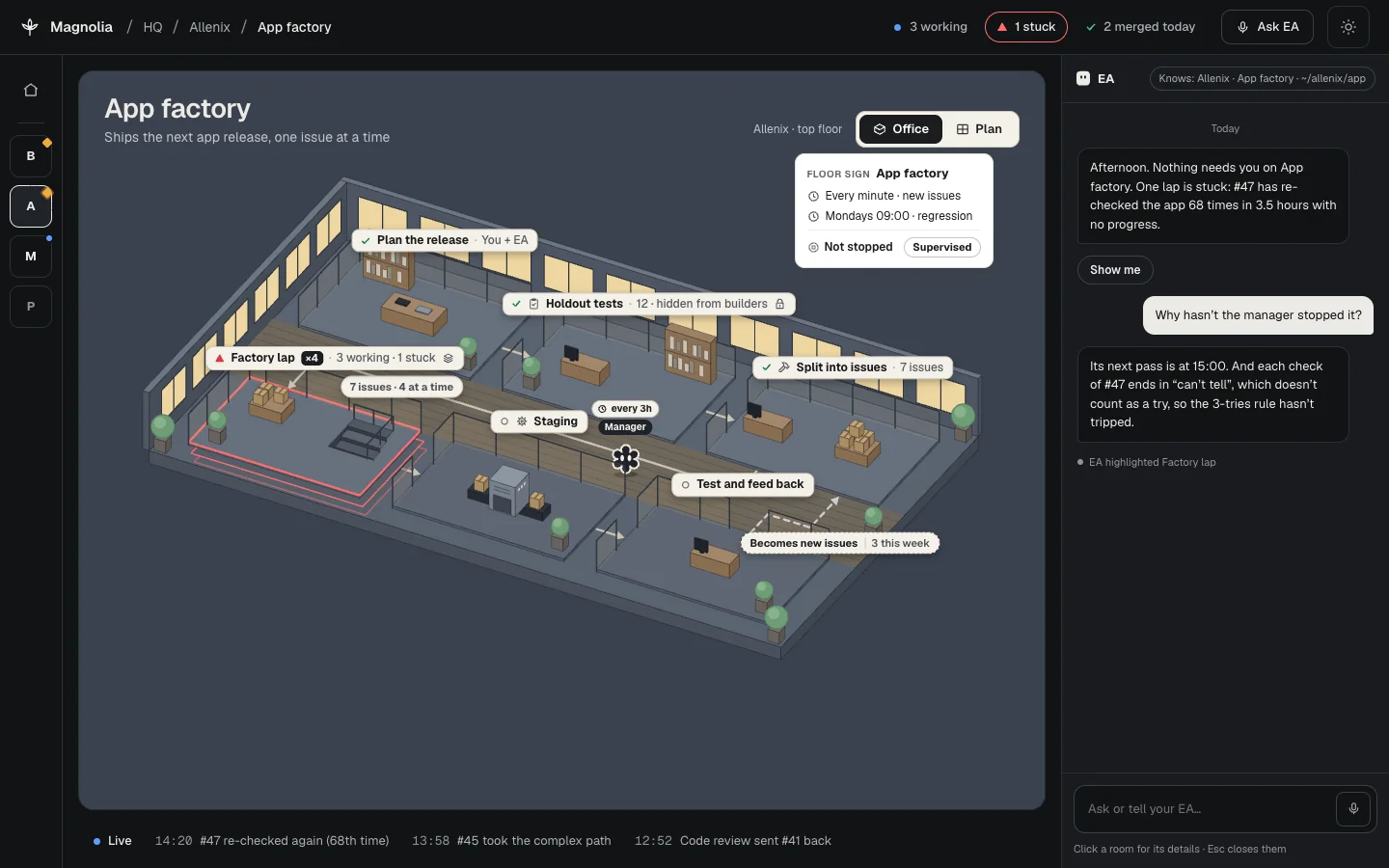
Office is 2.5D, with agents as small characters in rooms. Blueprint is a flat diagram. Same rooms, same order, so switching never loses your place.
Your EA, in the right panel
Ask "what's happening?" and it answers from recorded facts. It can point things out on screen so you see exactly what it means.
Only what needs you, pulses
Everything else stays still. Decisions wait in one ranked list, and each one tells you why it's there.
- The reasonWhy this is waiting on you and not on an agent.
- The evidenceWhat the agents found or produced, so you can judge it.
- If you approveWhat happens next, before you click.
- Your choiceApprove once. Always allow, which becomes a visible rule you can edit. Or deny.
Passwords, payments and legal terms always come back to you. No rule can wave them through.
Publish 4 SEO articles?
- Reason
- Publishing goes out under your name, so it waits for you.
- Evidence
- 4 drafts finished. Claim checks passed on all 4.
- If you approve
- Claude Code publishes the 4 articles.
Video 16 is ready to record
Honest by design
Things move on the screen only when something really happens. No progress bars that guess.
The work was finished. Needs its own evidence.
Something verified it. Needs separate evidence.
You signed off. Never assumed from the other two.
If Magnolia can't tell, it says so. Unknown stays unknown.
Built for real workflows
Agent work rarely runs in a straight line. Magnolia shows the parallel work, loops and detours as they happen.
- Parallel runsthe same steps for several items at once
- Loopsrepeat until tests pass
- Send-backsa reviewer returns the work
- Hidden testskept away from the builders
- Rules"3 tries, then ask me"
Works with the agents you use
Keep the tools you already have. Magnolia gives them one office.
- Claude Code
- Codex
- Grok
- and others
It watches
Magnolia follows your agents through hooks and OpenTelemetry. A small Magnolia add-on lets agents post their plan and step-by-step updates.
Open it in a project
npx magnoliaRun it inside a project folder.
Local first
The whole local app will be open source at first release. Hosted plans with sync and phone access come later.
Watch it being built
Magnolia is being built by Magnolia: Opus, Codex and Grok agents working in parallel. Follow along.
Questions
Is it free?
The whole local app will be free and open source at first release. Hosted plans with sync and phone access come later.
Does it run my agents?
You keep running Claude Code, Codex, Grok and others the way you do now. Magnolia watches them through hooks and OpenTelemetry, and agents can post their plan and updates through a small Magnolia add-on. When a decision needs you, it waits for you.
Where's my data?
Magnolia is local first. The app runs on your own machine, opened with npx magnolia inside a project folder. Hosted sync comes later, with the hosted plans.
When can I use it?
There's no release date yet. Join the waitlist to hear when it's ready, and follow the build to see where it is today.